Buy WhatsApp API: What to Check Before Choosing a Provider

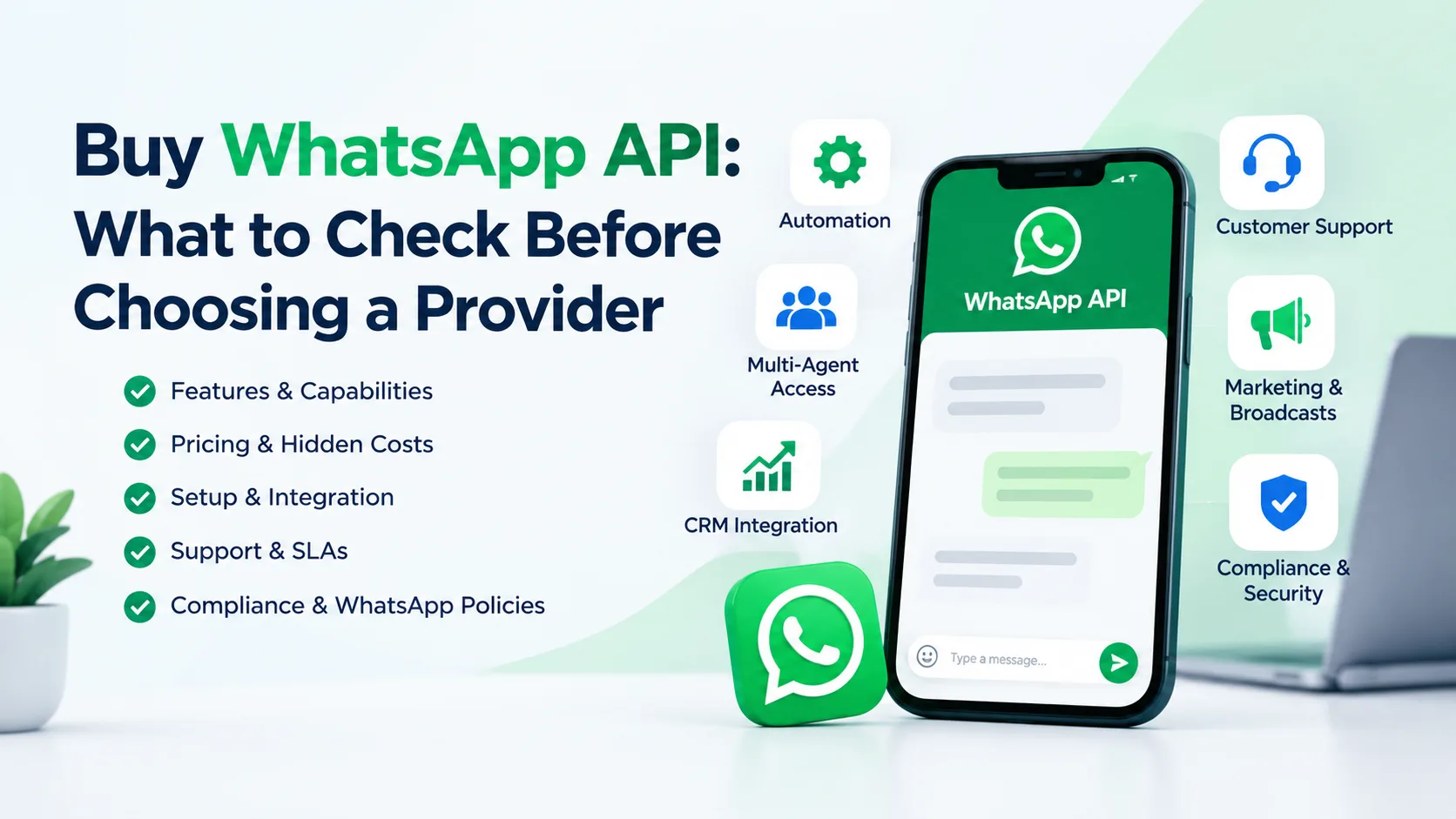
Choosing a WhatsApp API provider can become confusing when several providers offer similar-looking packages, features, and pricing. If you plan to buy WhatsApp API for customer support, marketing, sales, automation, or business communication, choosing the cheapest option is not always the best decision.
The right provider should fit your business needs, technical setup, messaging requirements, account structure, and compliance responsibilities.
Before purchasing, you should understand what access you are actually getting, how the setup works, what support is included, what costs may apply, and whether the provider follows WhatsApp Business policies.
This guide explains the key factors to check before choosing a WhatsApp API provider so you can compare options with more confidence.
What Is WhatsApp API?
WhatsApp API is designed for businesses that need more advanced WhatsApp communication than the standard WhatsApp Business app can provide.
It can support business workflows such as:
- Customer support
- Automated notifications
- Order updates
- Lead communication
- Appointment reminders
- Sales conversations
- Customer service workflows
- CRM integrations
- Chat automation
- Business messaging at scale
WhatsApp Business Platform includes WhatsApp Business APIs, including the Cloud API hosted by Meta. Businesses still need to follow applicable WhatsApp Business policies when using the platform.
For companies with multiple agents, CRM systems, automation workflows, or larger customer communication needs, an API-based setup can be more suitable than relying only on the WhatsApp Business application.
Why Businesses Buy WhatsApp API
Not every business needs an API.
If you only communicate with a small number of customers manually, the WhatsApp Business app may be enough. However, an API becomes more relevant when your business needs structured communication or integrations.
Common use cases include:
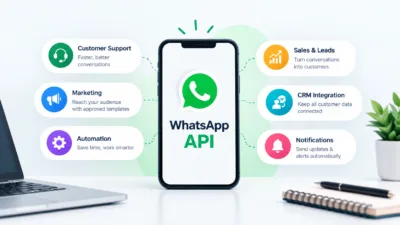
Customer Support
Businesses can connect WhatsApp communication with customer service workflows and allow support teams to manage conversations more efficiently.
Sales and Lead Management
If your business receives leads from websites, advertising campaigns, or other channels, WhatsApp can become part of the sales process.
Automated Notifications
Businesses may use WhatsApp for transactional or service-related communication, subject to applicable policies and requirements.
CRM Integration
An API can be connected with other business systems so customer communication does not remain isolated inside a single application.
Marketing Communication
Businesses may use approved messaging templates for eligible business-initiated communication. WhatsApp’s policies require businesses to obtain appropriate user consent and respect opt-out requests.
The important point is that buying WhatsApp API is not simply about obtaining a WhatsApp number. You are choosing a business communication infrastructure.
What Problem Are You Trying to Solve?
Before you buy WhatsApp API, define the problem first.
Ask yourself:
- Do I need WhatsApp automation?
- Do several employees need access?
- Do I need CRM integration?
- Do I need automated notifications?
- Do I need structured customer support?
- Do I need WhatsApp for lead generation?
- Do I need WABA integration?
- Do I need a provider to handle technical setup?
- Do I already have a Meta Business setup?
- Do I need a specific type of WhatsApp Business Account?
Your answer will help determine what kind of solution you actually need.
A common mistake is buying an API package first and trying to understand its capabilities afterward.
Instead, start with your business requirement and then compare providers.
WhatsApp API vs WhatsApp Business App
One of the first things to understand is the difference between the WhatsApp Business app and the WhatsApp Business Platform.
| Factor | WhatsApp Business App | WhatsApp API |
| Manual messaging | Yes | Yes, through connected systems |
| Automation | Limited | More advanced |
| CRM integration | Limited | Designed for integrations |
| Multiple-agent workflows | More limited | Better suited |
| Business workflows | Basic | Advanced |
| API integration | No | Yes |
| Larger operational setup | Less suitable | More suitable |
The right option depends on your business.
If you simply need a business profile and manual customer conversations, you may not need an API.
If you need automation, integrations, structured workflows, or a larger support operation, WhatsApp API may be worth considering.
10 Things to Check Before You Buy WhatsApp API
Before choosing a provider, review these factors carefully.
1. Understand What You Are Actually Buying
The term “WhatsApp API” can mean different things in the market.
Some providers may offer:
- API access
- WABA setup
- WhatsApp Business Account setup
- Number onboarding
- Software access
- CRM integration
- Automation tools
- Messaging infrastructure
- Technical support
Do not assume every package includes everything.
Ask the provider to clearly explain what is included.
For example:
Before purchasing, ask:
What exactly will I receive after payment, and which parts of the setup are included?
A transparent provider should be able to explain the product without using vague terminology.
2. Check WABA Requirements
WABA refers to a WhatsApp Business Account.
Depending on your setup, you may need a Meta Business Portfolio and appropriate business assets or permissions.
Before buying, understand:
- Who owns the business assets?
- Who controls the account?
- Which permissions will you receive?
- Is the setup connected to your business?
- Can you manage the account independently?
- What happens if you stop using the provider?
Ownership and access are especially important for businesses planning to use WhatsApp as a long-term communication channel.
3. Ask Who Owns the Account
This is one of the most important questions.
Do not only ask:
“Does this provider offer WhatsApp API?”
Ask:
“Who will own and control the relevant business assets?”
A provider should clearly explain the account structure and access arrangement.
For a business, long-term control matters because losing access to an important communication asset can create operational problems.
Before purchasing, confirm:
- Business ownership
- Admin access
- User permissions
- Phone number ownership
- WABA relationship
- Provider responsibilities
- Exit process
4. Check Phone Number Requirements
Ask how your existing or new phone number will be handled.
Important questions include:
- Can I use a new number?
- Can I use an existing business number?
- Does the number need to meet specific requirements?
- Who controls the number?
- What happens if I change providers?
- What happens if the account is disconnected?
Do not purchase before you understand the number onboarding process.
Your provider should explain the requirements clearly rather than promising that every number will work.
5. Understand Messaging Rules
WhatsApp Business messaging is policy-driven.
For example, WhatsApp states that businesses should only contact people who have provided their phone number and appropriate opt-in consent for receiving subsequent messages. Businesses must also respect requests to stop receiving communications.
For business-initiated conversations on the WhatsApp Business Platform, approved message templates may be required.
Within the customer service window, businesses can respond to user messages without using a template under the applicable rules. Outside that window, approved templates may be required for business-initiated communication.
Therefore, ask your provider:
- How are message templates handled?
- What messaging workflows are supported?
- How is opt-in managed?
- What happens if a message template is rejected?
- What compliance responsibilities remain with my business?
A provider should never encourage you to bypass WhatsApp policies.
6. Check Pricing Carefully
Do not compare providers only by the advertised package price.
Your total cost may depend on several components.
Consider:
| Cost Area | What to Check |
| Setup | One-time or recurring? |
| Platform fee | Included or separate? |
| Software | Included in the package? |
| Messaging | How is usage charged? |
| Integration | Included or additional? |
| Support | Free or paid? |
| Number setup | Included? |
| Maintenance | Recurring cost? |
| Additional users | Extra charges? |
| Migration | Included or separate? |
Always ask for the complete pricing structure before payment.
This helps prevent a low initial price from becoming an expensive solution later.
7. Check Integration Options
If you already use a CRM, helpdesk, ecommerce platform, or automation system, integration should be part of your evaluation.
Ask whether the provider supports your required workflow.
Potential integration requirements may include:
- CRM
- Ecommerce platform
- Customer support software
- Lead management system
- Marketing automation
- Webhooks
- API-based applications
- Internal business software
A provider may technically offer WhatsApp API but still be unsuitable for your particular software stack.
8. Evaluate Customer Support
Technical problems can become business problems when WhatsApp communication is important to your operation.
Before purchasing, find out:
- How can you contact support?
- What are the support hours?
- Is technical support included?
- Who handles integration issues?
- What happens during account-related problems?
- Is there a documented escalation process?
Good support should be clear before you purchase, not something you discover after a problem occurs.
9. Review Replacement, Refund, and Exit Terms
This is often overlooked.
Before purchasing, ask:
- Is there a replacement policy?
- Is there a refund policy?
- What conditions apply?
- What happens if setup cannot be completed?
- Can I migrate away later?
- What happens to my number?
- What happens to connected assets?
- Will I retain access after ending the service?
Read the terms carefully.
Do not rely only on verbal promises.
10. Check Provider Transparency
A trustworthy provider should explain the product, limitations, pricing, access, and responsibilities clearly.
Be cautious if a provider claims:
- Guaranteed approval
- Guaranteed account longevity
- Guaranteed messaging results
- Guaranteed verification
- Guaranteed exemption from platform restrictions
- Unlimited access without meaningful conditions
Platform policies can change, and accounts remain subject to applicable requirements.
A responsible provider should explain limitations instead of making unrealistic guarantees.
Provider Comparison Checklist
Before you buy WhatsApp API, use this checklist.
Business and Account
- ☐ Understand what product you are buying
- ☐ Confirm WABA arrangement
- ☐ Confirm business asset ownership
- ☐ Confirm admin access
- ☐ Confirm user permissions
- ☐ Confirm phone number requirements
Technical
- ☐ Check API compatibility
- ☐ Check CRM integration
- ☐ Check automation capabilities
- ☐ Check webhook or integration requirements
- ☐ Check software access
- ☐ Check migration options
Commercial
- ☐ Review complete pricing
- ☐ Check recurring fees
- ☐ Check setup fees
- ☐ Check messaging-related charges
- ☐ Review refund terms
- ☐ Review replacement terms
Compliance
- ☐ Understand opt-in requirements
- ☐ Understand messaging rules
- ☐ Review template requirements
- ☐ Check prohibited-use limitations
- ☐ Understand your business responsibilities
Support
- ☐ Check support availability
- ☐ Ask about technical assistance
- ☐ Understand escalation procedures
- ☐ Check post-purchase support
Common Mistakes When Buying WhatsApp API
Choosing the Cheapest Provider
The cheapest package may not provide the access, support, integration, or account structure your business needs.
Compare the complete solution rather than only the headline price.
Buying Without Understanding Ownership
If you do not understand who controls the business assets, you may face problems later.
Always clarify ownership and access before purchasing.
Assuming API Means Unlimited Messaging
WhatsApp API does not mean unrestricted messaging.
Businesses must follow applicable WhatsApp policies, including requirements around consent, templates, and acceptable messaging practices.
Ignoring Integration Requirements
If your business depends on a CRM or automation platform, check compatibility before payment.
Not Asking About Migration
Your business may eventually want to change providers.
Ask what happens to your number, business assets, integrations, and account access if you move elsewhere.
Trusting Unrealistic Guarantees
No responsible provider should encourage you to ignore platform rules.
Your provider should help you understand the legitimate setup and compliance requirements.
How to Choose the Right WhatsApp API Provider
You can use a simple five-step decision process.
Step 1: Define Your Business Requirement
Write down exactly why you need WhatsApp API.
For example:
“We need WhatsApp API to connect customer inquiries with our CRM and allow our support team to manage conversations.”
This is more useful than simply saying:
“We need WhatsApp API.”
Step 2: Identify Your Required Features
Create a short list.
For example:
- WABA support
- API access
- CRM integration
- Automation
- Multiple-user support
- Template management
- Technical support
Step 3: Compare Providers
Do not compare only pricing.
Compare:
- Ownership
- Features
- Access
- Integration
- Support
- Compliance
- Migration
- Terms
Step 4: Ask Pre-Purchase Questions
Send the provider a clear checklist.
Ask:
- What exactly is included?
- Who owns the account and assets?
- What access will I receive?
- What number requirements apply?
- What are the recurring costs?
- How are messaging costs handled?
- Can you support my integration?
- What support is included?
- What are the refund or replacement terms?
- What happens if I want to migrate later?
A provider that answers these questions clearly makes comparison much easier.
Step 5: Choose Based on Business Fit
The best provider is not necessarily the cheapest.
Choose the solution that matches your business requirements and gives you a clear understanding of access, costs, responsibilities, and limitations.
When Should You Consider a WhatsApp API Solution?
WhatsApp API may be worth considering if your business:
- Receives many customer inquiries
- Needs automated communication
- Uses a CRM
- Has multiple customer support agents
- Needs structured business messaging
- Sends eligible notifications
- Needs integration with business software
- Wants a more scalable communication workflow
However, if you only need basic one-to-one communication with a small number of customers, the WhatsApp Business app may be sufficient.
The goal is not to buy the most advanced solution.
The goal is to buy the solution that solves your actual business problem.
What About a Verified BM?
WhatsApp API requirements can overlap with your broader Meta business infrastructure.
If your business also needs a Verified Business Manager, advertising access, business assets, or a more structured Meta setup, it is useful to evaluate these requirements together rather than treating each product as completely separate.
A Verified BM may be relevant for businesses that need a more established Meta Business environment for their operations.
If you are also looking for a Verified Business Manager, you can review the available options from Verified BM Store and compare the details before making a purchase.
Practical Example: Choosing Between Two Providers
Imagine a business is comparing two WhatsApp API providers.
Provider A
- Lower initial price
- Unclear ownership
- Limited support
- No clear migration information
- Integration details are unclear
Provider B
- Higher initial price
- Clear account structure
- Transparent pricing
- Defined support process
- Clear integration information
- Clear replacement and migration terms
Provider A may look cheaper.
However, Provider B may represent better value if it reduces uncertainty and better matches the business’s long-term requirements.
This is why buying WhatsApp API should be treated as a business infrastructure decision, not simply a price comparison.
8 Questions to Ask Before You Buy WhatsApp API
Before purchasing a WhatsApp API package, do not focus only on the price. A reliable setup should give you clear ownership, transparent costs, proper support, and flexibility for future business needs.
Before making your final decision, ask the provider these important questions:
A. What exactly is included in the WhatsApp API package?
Do not assume that the advertised price includes everything you need. Ask the provider for a complete breakdown of what comes with the package.
Find out whether the package includes API setup, business verification support, number onboarding, dashboard access, messaging tools, automation features, templates, technical setup, and ongoing support.
Also ask whether any important features require an additional payment. Getting everything in writing can help you avoid unexpected charges later.
B. Who owns the business assets?
Ownership is one of the most important things to confirm before purchasing a WhatsApp API setup.
Ask whether the WhatsApp Business Account, Meta Business Manager, phone number, business assets, and other related accounts will belong to you or the provider.
You should also understand who has administrative access and whether you will receive the necessary credentials or permissions. A setup that leaves you dependent on the provider can create problems if you later want to change providers.
C. Can I use my own business number?
Ask whether you can connect your existing business phone number or whether the provider requires you to use a new number.
If you want to use your existing number, ask about the onboarding requirements and whether there are any restrictions. You should also understand what happens to your current WhatsApp setup during the migration or API activation process.
Knowing these requirements in advance can help prevent interruptions to your business communication.
D. What are the total costs?
The advertised package price may not always represent the total amount you will spend.
Ask the provider to explain every possible cost, including setup fees, monthly platform charges, integration fees, messaging or usage-related costs, maintenance charges, and any optional feature fees.
Also ask whether there are renewal charges or additional costs when your business needs more users, messages, integrations, or features.
A transparent pricing breakdown makes it easier to compare different WhatsApp API providers.
E. Can the API integrate with my CRM or business tools?
If your business already uses a CRM, helpdesk, ecommerce platform, chatbot, or other software, confirm compatibility before purchasing.
Ask whether the WhatsApp API can integrate with your existing tools and whether the provider offers API documentation, webhooks, plugins, or integration support.
For example, if you want to automatically send customer updates, manage leads, or connect WhatsApp conversations with your CRM, make sure those functions are supported before committing to the service.
F. What happens if the setup fails?
Technical problems can happen during account setup, number onboarding, verification, or integration.
Before paying, ask the provider what happens if the setup cannot be completed successfully. Find out whether they offer troubleshooting, replacement, reconfiguration, or a refund under specific circumstances.
You should also ask how long issue resolution normally takes and whether there are any conditions attached to their replacement or refund policy.
Having clear terms beforehand can protect you from unnecessary disputes later.
G. What support do I receive after purchase?
Buying the API is only the beginning. You may need assistance with configuration, integrations, messaging issues, account problems, or technical errors later.
Ask what type of support is included after purchase. For example, is support available through WhatsApp, email, live chat, or a ticket system?
Also ask about support hours, response times, and whether technical support is included in the package or requires an additional fee.
A provider with clear post-purchase support can make managing your WhatsApp API much easier.
H. Can I migrate later?
Your business needs may change over time, so you should understand your exit options before purchasing.
Ask whether you can move your WhatsApp API setup to another provider in the future. Find out what happens to your business number, account, data, integrations, and other business assets if you decide to migrate.
A good setup should not unnecessarily lock your business into one provider. Clear migration terms can give you more control and flexibility as your business grows.
Frequently Asked Questions
1. What does it mean to buy WhatsApp API?
Buying WhatsApp API generally means obtaining access to a WhatsApp Business Platform solution through an appropriate setup or provider. The exact services included vary by provider, so always confirm the package details before purchasing.
2. Is WhatsApp API the same as WhatsApp Business?
No. WhatsApp Business is an application designed for business communication, while the WhatsApp Business Platform provides APIs and infrastructure for more advanced business use cases.
3. Do I need WABA for WhatsApp API?
Your specific setup can involve a WhatsApp Business Account and related Meta business assets. Ask the provider to explain exactly how the account structure will be configured before purchasing.
4. Can I connect WhatsApp API to a CRM?
Yes, API-based WhatsApp solutions can be used with business software and CRM workflows. However, compatibility depends on the CRM, integration method, and provider.
5. Can I use WhatsApp API for marketing?
Businesses can use WhatsApp for eligible business communication, but messaging must follow applicable WhatsApp policies. Business-initiated messaging may require approved templates, and businesses must follow consent requirements.
6. Is WhatsApp API unlimited?
You should not assume that a WhatsApp API package provides unlimited messaging or unrestricted usage. Messaging is subject to applicable platform rules, pricing, and technical limitations.
7. What should I check before choosing a WhatsApp API provider?
Check account ownership, access, phone number requirements, pricing, integration, support, messaging policies, refund or replacement terms, and migration options.
8. Can I change providers later?
Migration depends on your specific account structure, number setup, provider, and technical configuration. Ask about migration before purchasing rather than assuming it will be simple.
9. Should a small business buy WhatsApp API?
It depends on your requirements. A small business with simple manual conversations may not need API infrastructure. Businesses requiring automation, integrations, multiple users, or structured workflows may find it more useful.
10. How can I compare two WhatsApp API providers?
Compare their account structure, ownership, features, integrations, pricing, support, compliance guidance, migration options, and refund or replacement terms. The lowest price should not be the only deciding factor.
If you plan to buy WhatsApp API, do not choose a provider based only on price.
First understand what you need.
Then check:
- Account ownership
- WABA structure
- Access and permissions
- Phone number requirements
- Integration capabilities
- Pricing
- Support
- Messaging policies
- Replacement and refund terms
- Migration options
The right provider should make these details clear before you pay.
Most importantly, avoid providers that encourage you to bypass WhatsApp policies or make guarantees that they cannot legitimately control. WhatsApp states that businesses must follow its Business Messaging Policy and that access can be restricted when businesses repeatedly violate applicable policies or terms.
If you also need a Verified Business Manager as part of your Meta business setup, review the available options and compare the account details, access, and terms carefully before making your decision.