Buy Verified BM: 10 Things to Check Before You Purchase


Buying a Verified Business Manager can look like a quick solution when your business needs a more established Meta advertising setup. But choosing the wrong provider can create bigger problems than the one you were trying to solve.
Before you buy verified BM, you need to understand exactly what you are purchasing, what access you will receive, whether the business information is legitimate, and what support is available after the purchase.
A “verified” label alone should never be the only reason to choose a Business Manager.
The more important questions are:
- Who controls the Business Manager?
- What access will you receive?
- Is the business information legitimate and consistent?
- What assets are included?
- What happens if an advertising restriction occurs?
- Does the provider offer clear replacement or refund terms?
- Can you securely manage the account after purchase?
This guide explains the 10 most important things to check before purchasing a Verified BM, so you can compare providers more carefully and make a better-informed business decision.
What Is a Verified Business Manager?
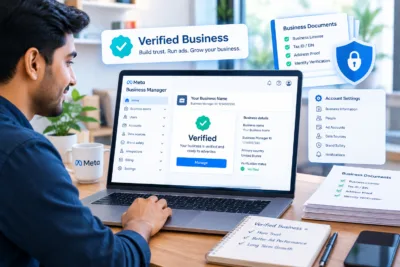
A Verified Business Manager generally refers to a Meta business environment that has completed a business verification process or has verification-related status associated with the business.
Businesses use Meta’s business tools to manage assets such as advertising accounts, Pages, people, permissions and other business resources.
For agencies, e-commerce businesses, advertisers and growing companies, having an organized business setup can make account and asset management easier.
However, verified business manager should not be confused with guaranteed advertising approval.
Verification does not mean:
- Every ad will be approved
- An ad account can never become restricted
- Your business is automatically compliant with every Meta policy
- Your campaigns will receive better performance
- Your spending limit will always remain unchanged
- You can ignore account-security requirements
Meta can still review business activity, advertising content, payment activity and other signals.
That is why buying a Business Manager requires more due diligence than simply checking whether the word “verified” appears in a product listing.
Why Are Businesses Looking to Buy Verified BM?
Businesses usually start searching for a verified business manager for sale when their existing setup does not meet their operational requirements.
For example, a business may be dealing with:
- Business verification difficulties
- Advertising account restrictions
- Complicated asset management
- Agency account requirements
- Multiple Pages or ad accounts
- Expansion into new markets
- A need for a more organized business structure
- Previous problems with their Meta advertising setup
Someone searching for buy Facebook Business Manager, buy Meta Business Manager, or verified BM account for sale is usually closer to making a commercial decision than someone simply researching what Business Manager means.
But that creates an important problem:
A buyer may focus too heavily on availability and price instead of ownership, access, security and provider transparency.
The checklist below helps prevent that mistake.
10 Things to Check Before You Buy Verified BM
1. Check Exactly What “Verified” Means
The first thing to ask a provider is simple:
What exactly has been verified?
Do not assume that every product described as a “verified BM” has the same status.
Ask the provider to explain:
- What business entity is associated with the Business Manager?
- What verification status is being represented?
- What assets are included?
- What access level will you receive?
- Is the Business Manager being transferred, shared, or provided through another arrangement?
- Which information can legally and legitimately be changed after purchase?
This distinction matters because the word verified can be used loosely in online listings.
A professional provider should be able to explain the product clearly instead of relying on vague statements.
A useful buyer rule
If a provider cannot explain what you are actually purchasing, do not make the purchase based only on a screenshot or sales claim.
2. Verify Ownership and Access
Ownership is one of the most important issues when purchasing a Business Manager.
Before you buy, understand the difference between:
- Admin access
- Employee access
- Partner access
- Asset-level permissions
- Ownership or control of the business environment
Receiving access to a Business Manager does not necessarily mean you have full control over every asset connected to it.
Ask:
“What level of access will I receive after the purchase?”
Also ask:
“Will I be able to manage users, assets and permissions?”
A legitimate business setup should have a clear access structure.
Why this matters
Imagine purchasing a Business Manager and discovering later that:
- Another person still has admin access
- You cannot remove an existing user
- An important asset belongs to another business
- You cannot manage the connected advertising account
- The provider retains unnecessary control
That can turn a seemingly good deal into a serious security problem.
3. Check the Business Information
Before purchasing a verified Meta Business Manager, examine the consistency of the business information.
Where legitimately available, compare:
| Information | What to Check |
| Business name | Does it match the relevant documentation? |
| Website | Does the business information make sense? |
| Country | Is the stated business location consistent? |
| Contact information | Is it credible and consistent? |
| Business details | Are there unexplained discrepancies? |
| Verification information | Can the provider explain the status? |
The goal is not to obtain someone else’s private information.
Instead, the goal is to determine whether the product is being represented honestly.
If the seller avoids basic questions about the business setup, treat that as a warning sign.
4. Confirm Which Assets Are Included
Never assume that a Business Manager automatically includes every asset shown in a seller’s marketing material.
Ask specifically what comes with the product.
For example:
- Business Manager
- Ad account
- Facebook Page
- Instagram account
- Pixel or dataset
- Catalog
- Domain-related assets
- Payment-related setup
- Additional business assets
Your requirements may be different from another buyer’s requirements.
An agency may need a Business Manager with a specific asset structure.
An e-commerce company may primarily need advertising resources.
A business using WhatsApp may need a separate WhatsApp Business Account (WABA) or WhatsApp Business API solution.
These should not automatically be treated as the same product.
Before purchasing, create a simple asset checklist
I need:
- Business Manager
- Required advertising access
- Required Page access
- Required business assets
- Appropriate user permissions
- Appropriate support
Then compare that checklist with the provider’s actual offer.
5. Do Not Confuse BM Verification With Ad Account Limits
One of the biggest misconceptions in the market involves phrases such as:
- High limit Facebook ad account
- Facebook ad account high limit
- Facebook BM ad limit
- Facebook BM5
- Facebook BM50
- Facebook BM250
- Facebook BM unlimited
- Aged Facebook ad account
These terms can have commercial value to buyers, but you should never assume that a particular advertised number guarantees permanent spending capacity.
Advertising availability and account functionality can depend on Meta’s systems, account history, payment activity, business activity, policy compliance and other factors.
Therefore, if a provider advertises a specific limit, ask:
“What exactly does this limit refer to, and under what conditions?”
Do not accept vague claims such as “unlimited ads” or “guaranteed high spending.”
Meta’s advertising ecosystem can review and restrict accounts when necessary.
6. Ask About Security and Existing Users
Security should be part of your buying decision from the beginning.
Before purchasing, ask whether existing users, partners or administrators are connected to the Business Manager.
You should understand:
- Who has administrative access?
- Who manages the assets?
- What permissions are assigned?
- Can unnecessary users be removed?
- What security controls are available?
- What happens if the account becomes inaccessible?
Avoid providers who treat security questions as unimportant.
A simple security principle
The fewer unnecessary people with access to your business assets, the easier it is to manage risk.
After acquiring legitimate control of a business setup, review permissions and remove access that your business does not need, where permitted.
7. Understand Replacement and Refund Terms
This is one of the most overlooked buying factors.
Before you buy verified BM, ask the provider what happens if the product does not match the description.
For example:
- What if the provided access does not work?
- What if an advertised asset is missing?
- What if the access level differs from the description?
- Is replacement available?
- Is there a time window for reporting an issue?
- Are refunds available?
- What evidence is required to make a claim?
A provider that clearly explains its terms is easier to evaluate than one that only talks about the product price.
Compare providers using this table
| Factor | Weak Provider | Better Provider |
| Product description | Vague | Specific |
| Access details | Unclear | Clearly explained |
| Support | Unspecified | Defined |
| Replacement | No clear terms | Clear conditions |
| Refund policy | Hidden | Accessible |
| Security guidance | Minimal | Explained |
| Communication | Sales-focused | Transparent |
8. Evaluate the Provider, Not Just the Product
A good product can still become a poor purchase if the provider is unreliable.
Before choosing a verified BM for sale, investigate the provider itself.
Look for:
- A professional website
- Clear product descriptions
- Transparent policies
- Contact information
- Support availability
- Consistent communication
- Clear refund or replacement terms
- Relevant business experience
- Honest limitations
You should also ask questions before purchasing.
Questions worth asking
- What exactly is included?
- What access will I receive?
- What assets are included?
- What does “verified” mean in this listing?
- Are there existing users or partners?
- What are the replacement conditions?
- What is the refund policy?
- What support is available after purchase?
- Are there limitations I should know about?
- Does the product require me to comply with Meta’s policies?
A trustworthy provider should not become defensive simply because you ask reasonable questions.
9. Check Whether You Actually Need a Purchased BM
Not every business needs to buy a Business Manager.
Before spending money, identify the real problem.
If your problem is verification
First determine why your existing business verification process is not progressing.
Potential issues may include:
- Incorrect business information
- Inconsistent documentation
- Website information that does not match
- Incomplete information
- Incorrect permissions
- Verification-related requirements
If your own business can legitimately complete the required process, that may be preferable to purchasing another setup.
If your problem is an advertising restriction
Buying another account should not be viewed as a shortcut around Meta’s enforcement systems.
Instead, determine:
- Why the restriction occurred
- Whether an appeal or review option is available
- Whether the advertising content complies with applicable policies
- Whether payment or account information needs attention
Meta’s advertising environment includes policy enforcement and review mechanisms, so a new business setup is not a substitute for fixing underlying compliance problems.
If your problem is agency management
Your requirements may be different.
You may need:
- Business asset organization
- Appropriate partner permissions
- Multiple client assets
- Clear user roles
- Better account management
In that situation, focus on the structure and permissions you actually need.
10. Review the Provider’s Support After Purchase
The purchase should not be the end of your evaluation.
Ask what happens after you receive access.
A useful provider should clearly explain:
- How support works
- How to report access problems
- How quickly support normally responds
- What issues are covered
- What issues are outside the provider’s control
- How replacement requests are handled
This is particularly important for businesses that depend on Meta advertising for customer acquisition.
A business should not choose a provider solely because its listing is cheaper.
The real cost of a product includes the risk, support quality and clarity of the terms.
Verified BM Buying Checklist
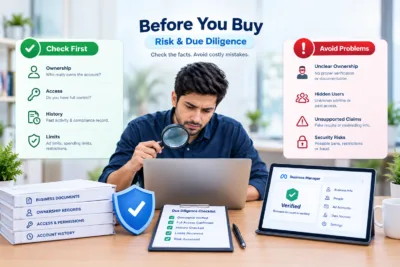
Before you purchase, use this checklist:
Product
☐ The exact product is clearly described
☐ Verification status is explained
☐ Included assets are listed
☐ Access level is confirmed
☐ Advertising account details are explained where applicable
Ownership & Access
☐ Admin/access structure is clear
☐ Existing users are disclosed where relevant
☐ Required permissions are confirmed
☐ No unnecessary third-party access is expected
Provider
☐ Provider has a professional website
☐ Product information is transparent
☐ Support process is explained
☐ Replacement terms are clear
☐ Refund terms are clear
Security
☐ Business access can be reviewed
☐ Unnecessary permissions can be addressed where permitted
☐ You understand who controls relevant assets
☐ You know what to do if access problems occur
Compliance
☐ You understand Meta policy obligations
☐ You are not relying on the product to bypass restrictions
☐ You are not expecting guaranteed ad approval
☐ You are not relying on “unlimited” claims without verification
Verified BM vs Regular Business Manager: What Should You Choose?
The right choice depends on your actual business requirement.
| Consideration | Existing Business Manager | Verified BM Solution |
| Business already has a suitable setup | Often preferable | May not be necessary |
| Verification difficulty | Investigate the cause first | May be considered depending on legitimate business needs |
| Agency requirements | May require better structure | Could be relevant |
| Multiple business assets | Can work with proper setup | Depends on included assets |
| Security | Direct control can be simpler | Requires careful access review |
| Cost | Potentially lower | Depends on provider |
| Support | Platform-based | Provider support may be available |
| Policy compliance | Required | Still required |
The important point is that a verified status does not replace good account management.
What About Facebook Ad Accounts With High Limits?
Many buyers search for terms such as:
- Buy Facebook ad account
- Facebook ad account for sale
- Buy verified Facebook ad account
- Facebook ads account with high limit
- High spending Facebook ad account
- Facebook agency ad account
These searches indicate strong commercial intent.
But buyers should be careful with advertised limits.
A high number shown in a product listing does not automatically mean:
- Permanent spending capacity
- Guaranteed campaign approval
- Guaranteed account stability
- Guaranteed performance
- Guaranteed access
Instead, ask the provider exactly what the stated limit represents and whether the limit is currently available.
Most importantly, do not use a purchased account as a way to evade restrictions or enforcement.
What About WhatsApp API and WABA?
Some businesses looking for a verified business manager are actually trying to solve a WhatsApp-related requirement.
That is a different consideration.
A WhatsApp Business Account, WhatsApp Business API setup and Meta Business Manager can be related, but they are not interchangeable products.
If your primary requirement is:
- WhatsApp automation
- CRM integration
- Customer support
- Marketing workflows
- Chatbots
- Business messaging
then you may need to evaluate a WhatsApp Business API provider rather than simply purchasing a Business Manager.
Your buying decision should start with the business problem, not the product name.
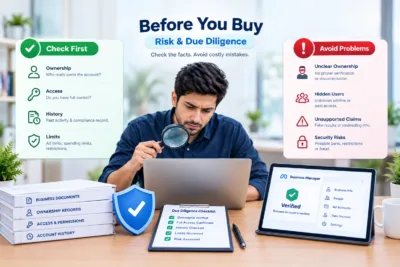
When Should You Consider a Verified BM Solution?
A Verified BM solution may be worth evaluating when your business has a legitimate operational need for a suitable Meta business setup and you have already determined what assets, permissions and support you require.
It can be particularly relevant for:
- Established e-commerce businesses
- Advertising agencies
- Digital marketing teams
- Businesses managing multiple assets
- Companies expanding their advertising operations
- Businesses that need a structured business environment
However, purchasing should not be treated as a guaranteed way to avoid verification, restrictions or advertising reviews.
If your own business can legitimately establish and verify its Meta business presence, that option should also be considered.
How to Choose a Verified BM Provider
When comparing providers, don’t ask only:
“How much does it cost?”
Ask:
“What exactly am I getting, what control will I have, and what happens if something goes wrong?”
A practical provider comparison should include:
| Criteria | Importance |
| Product transparency | Very High |
| Access clarity | Very High |
| Security | Very High |
| Support | High |
| Replacement terms | High |
| Refund terms | High |
| Asset details | High |
| Provider reputation | High |
| Price | Medium |
| Marketing claims | Low |
This approach helps prevent price from becoming the only factor in your decision.
Why Cheap Verified BM Offers Can Be Risky
A very low price can be attractive.
But ask why the price is low.
A cheaper offer may come with:
- Limited access
- Unclear ownership
- Missing assets
- Weak support
- Unclear replacement terms
- Unexpected restrictions
- Poor communication
This does not mean an inexpensive product is automatically bad.
It means price should be evaluated alongside what you actually receive.
A reliable buying decision considers total value rather than the lowest number.
A Practical Example
Problem
An e-commerce business wants to expand its Meta advertising operations but is having difficulty managing its current business setup.
What the business should check first
- Current Business Manager status
- Business information
- User permissions
- Existing advertising accounts
- Pages and other assets
- Current restrictions
- Verification status
- Applicable Meta requirements
Possible solution
If the existing setup can be corrected or verified legitimately, that may be the most appropriate route.
If the business decides to evaluate an external Verified BM solution, it should compare providers using the checklist in this article.
Buying decision
The business should select an option based on:
Need → Access → Assets → Security → Support → Terms → Compliance
—not simply:
Price → Buy
Common Mistakes When Buying Verified BM
Mistake 1: Buying because of the word “verified”
Verification status alone does not tell you everything about the product.
Mistake 2: Assuming high limits are permanent
Advertising capacity can change. Ask what the advertised limit actually means.
Mistake 3: Ignoring existing access
An account with unknown administrators creates unnecessary security concerns.
Mistake 4: Not checking included assets
Never assume Pages, ad accounts, WABA or other assets are included.
Mistake 5: Choosing only by price
Cheap can become expensive when support or replacement terms are poor.
Mistake 6: Expecting guaranteed advertising approval
No legitimate provider should promise that every future advertisement will be approved.
Mistake 7: Using a purchase to bypass restrictions
A purchased Business Manager should not be treated as a workaround for Meta’s enforcement or verification systems.
Frequently Asked Questions
Is it safe to buy a Verified BM?
Safety depends on what is being provided, the legitimacy of the business setup, access structure, provider transparency and applicable platform rules. A “verified” label by itself is not enough to establish that a product is suitable.
What should I check before I buy verified BM?
Check the verification status, access level, business information, included assets, existing users, provider support, replacement terms, refund policy and security considerations.
Does a Verified BM guarantee Facebook ad approval?
No. Verification should not be treated as a guarantee that future ads will be approved. Advertising activity remains subject to applicable Meta requirements and review processes.
Does a Verified BM guarantee a high ad account limit?
No. Do not treat a listed spending limit as a permanent guarantee. Ask the provider what the stated limit means and what conditions apply.
Should I buy a Facebook ad account with a high limit?
First determine whether you actually need one. If you are considering an external advertising account, carefully review access, ownership, provider terms and compliance requirements rather than relying on the advertised limit.
Is a Verified BM the same as a WABA?
No. A Meta Business Manager and a WhatsApp Business Account serve different purposes, although they can be connected within a broader business setup.
Can a Verified BM prevent an ad account from being restricted?
No. A verified business setup does not eliminate the possibility of account or advertising restrictions.
What should I ask a provider before purchasing?
Ask what is included, what access you receive, what “verified” means, which assets are included, what support is available, and what the replacement and refund terms are.
Is buying a Verified BM better than verifying my own business?
Not necessarily. If your business can legitimately complete Meta’s verification process, establishing your own business presence may be the more appropriate option.
What is the biggest red flag when choosing a provider?
Be cautious when a provider makes broad guarantees, avoids explaining access or ownership, provides unclear product details, or refuses to explain replacement and refund conditions.
Don’t Buy Verified BM Without Checking These 10 Factors
If you’re planning to buy verified BM, don’t make the decision based only on availability, price, or the word “verified.”
Check these 10 things first:
- What exactly is verified?
- What access will you receive?
- Who controls the Business Manager?
- Is the business information consistent?
- Which assets are included?
- What does the advertised ad limit actually mean?
- Are security and existing users clear?
- What are the replacement and refund terms?
- Is the provider transparent and reliable?
- Do you actually need to purchase a BM for your business?
The best buying decision is not necessarily the cheapest or fastest one.
It is the option where you understand what you are buying, what you control, what risks exist, what support is available, and what responsibilities remain with your business.
If you need a Verified Business Manager, you can review the available options from Verified BM Store and compare the product details, access information and terms before making a decision. Verified BM Store